Material types define the property type of a material. By adjusting material property values defined by a material type, you set the appearance of a material. Each material type has a vertex shader and a fragment shader, which set the type of properties you can use in a material. Use materials to set the appearance of Model nodes and Material Brush brushes. See Using meshes and Using brushes.
In Kanzi Studio in the Library > Materials and Textures you can see the available and add new material types, materials, textures, brushes, and shaders.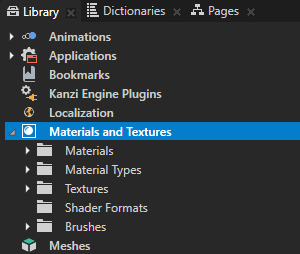
In addition to material properties, in a material type you can set the properties that are used in lights. Light properties are usually defined in arrays. The number of items in a light property array specifies how many lights the material type allows. Lights are collected at runtime from lights in the active scene whose light data has any of the light properties in the currently rendered material type. Shader properties visualize the inputs of the shader parsed from the shader code. See Using the light nodes.
Kanzi Studio provides template projects that contain a default set of material types and shaders from the Kanzi Studio Asset Library located in <KanziInstallation>/Studio/Asset Library. When you create a new Kanzi Studio project you can select from different project templates based on the material types they provide:
- To start with a template that does not contain any predefined material types, select Import material types manually. You can add material types from the Kanzi Studio material library to the project when you need them, or create your own material types. See Adding a material type to your project.
- Fast performance vertex shaders template is intended for low precision and high performance OpenGL ES2 applications. It contains vertex-based shaders optimized for use with OpenGL ES2. Most of the GPU specific computation is done in the vertex shaders. This is a good starting point for most devices.
- High quality fragment shaders template is intended for high precision OpenGL ES2 applications. It contains pixel-shader based materials for use with OpenGL ES2. Most of the GPU specific computation is done in the fragment shaders. This offers better image quality often at the cost of performance.
Fast performance vertex shaders and High quality fragment shaders project templates define a set of material types that are available in the project materials library, each with fragment and vertex shaders. See Shaders best practices.
If you are not sure which project type you should choose, select Import material types manually, and add the materials as you need them.
The type of shading used is often the first bottleneck that causes bad performance. See Shaders best practices.
